In today’s increasingly connected world, smart relays have become essential components in home automation, industrial systems, and energy management. These devices allow users to remotely control electrical systems, monitor energy usage, and automate processes. However, for smart relays to function optimally, they must be installed correctly. This article discusses the key installation considerations for smart relays to ensure they work efficiently and safely.
1.Types of Smart Relays and Their Compatibility
Overview of Different Types of Smart Relays
Smart relays come in various types, each designed for specific communication protocols and use cases. The most common types include:
Wi-Fi-based Smart Relays: These are widely used in home automation because they can connect directly to home Wi-Fi networks without the need for a hub or additional gateway. Wi-Fi relays are ideal for controlling devices like lights, fans, and HVAC systems.
Zigbee and Z-Wave Smart Relays: These relays use low-power wireless protocols for communication. They are often used in home automation systems like SmartThings or Amazon Echo because of their ability to mesh with other devices in a larger network.
Bluetooth-based Smart Relays: These are used for local control over short distances, and they are best suited for situations where the relay does not need to be connected to a larger network.
Ethernet-based Smart Relays: These relays are used in more industrial or commercial settings where wired communication is needed for stability and reliability.
Compatibility with Existing Systems
Before installing a smart relay, it is essential to check whether it is compatible with the existing electrical system and communication protocols. For instance:
Voltage Requirements: Ensure that the relay matches the voltage specifications of the electrical circuit.
Communication Protocol Compatibility: If you are integrating the relay into a home automation system, confirm that the smart relay is compatible with your network or platform (e.g., Alexa, Google Home, SmartThings, etc.).
Device Compatibility: Some smart relays are designed to work with specific devices or applications. Make sure your existing devices (e.g., appliances, sensors) are compatible with the relay you intend to install.
2.Power Supply and Voltage Requirements
Understanding Power Requirements
Smart relays require a stable power supply to function correctly. It is crucial to consider the following aspects:
Relay Power Consumption: Smart relays consume power to operate, but the amount is usually minimal. Still, it's essential to ensure that your electrical system can supply adequate power for the relay's operation.
Voltage Range: Check the relay’s voltage specifications. Most smart relays are designed to handle common voltage ranges, such as 110V-240V for residential systems. However, ensure that the voltage range matches the one provided by your power system.
Power Backup: In certain installations, especially in industrial environments, a backup power supply might be necessary to keep the smart relay functioning during power outages.
Voltage Variations and Regional Considerations
If you're installing a smart relay in different regions or countries, be aware of voltage and frequency variations. For example:
North America typically operates on a 120V, 60Hz power supply.
Europe and most of Asia operate on a 220V-240V, 50Hz system.
Ensure that the smart relay is compatible with the voltage and frequency specifications of your region to avoid damage to the device or the connected appliances.
3.Connectivity and Communication Protocols
Importance of Selecting the Right Connectivity Options
Smart relays rely on various connectivity options to communicate with other devices or platforms. The most common communication protocols include:
Wi-Fi: The most common protocol for smart home systems, Wi-Fi-based relays allow for easy integration with existing networks, providing remote control via smartphones or computers. Ensure the Wi-Fi signal is strong in the area where the relay will be installed.
Zigbee and Z-Wave: These are wireless communication standards used primarily in smart home systems. Zigbee and Z-Wave are low-power, reliable, and have excellent mesh networking capabilities, allowing relays to communicate with other smart devices.
Bluetooth: Ideal for short-range control, Bluetooth smart relays can be controlled locally but lack the range and connectivity of Wi-Fi or Zigbee.
Ethernet: Ethernet-based smart relays provide a stable and reliable connection for industrial environments. These relays are typically used for large systems where stability and constant uptime are essential.
Network Compatibility and Reliable Communication
For seamless operation, ensure that your smart relay is compatible with your existing network. Here are some important things to consider:
Wi-Fi Range: If you are using Wi-Fi-based smart relays, check that your Wi-Fi network reaches the area where the relay will be installed. The relay should be within range to communicate reliably.
Network Congestion: Ensure that the network is not overloaded with other devices, as this can cause signal interference and affect relay performance.
Security Protocols: Use secure connections like WPA3 (Wi-Fi Protected Access 3) for Wi-Fi-based smart relays to prevent unauthorized access to your network.
Addressing Potential Interference Issues
When installing smart relays, it is important to consider any potential interference that could affect connectivity. For instance:
Electromagnetic Interference (EMI): In industrial settings, electrical systems may generate interference that could disrupt wireless communication. Choose relays that are designed to operate in such environments and ensure proper shielding.
Physical Barriers: Thick walls or metal objects can block wireless signals. Ensure that the relay's installation location is optimized for signal strength and performance.
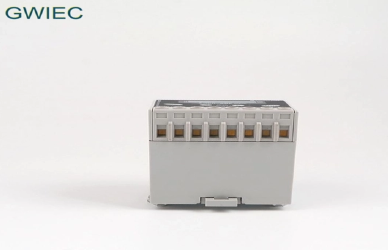
4.Physical Placement and Installation Location
Choosing the Right Location for the Smart Relay
The physical placement of a smart relay is crucial for its optimal performance. Here are some factors to consider:
Proximity to Controlled Devices: Smart relays should be installed close to the devices they are controlling. This minimizes the need for long wiring and improves communication speed.
Environmental Factors: If you're installing a smart relay outdoors or in harsh environments, make sure the relay is rated for outdoor use and is protected from extreme weather conditions such as rain, dust, or extreme temperatures.
Ease of Access: Choose a location that is easily accessible for maintenance, troubleshooting, and upgrades.
Mounting and Environmental Considerations
When mounting the relay, ensure:
Adequate Ventilation: Smart relays can heat up during operation, so the installation location should allow for proper airflow to prevent overheating.
Protection from Physical Damage: Install the relay in a safe location where it won’t be subjected to mechanical damage from accidental impacts.
5.Integration with Existing Electrical Systems
Smooth Integration with Existing Circuits
To ensure that a smart relay functions properly, it must be integrated with existing electrical circuits without causing any disruptions. Consider the following steps:
Compatibility with Wiring: Confirm that the relay is compatible with the wiring in place. Some smart relays may require specific types of wiring or adapters for installation.
Sensor Integration: If the relay integrates with external sensors (e.g., temperature or motion sensors), ensure that these devices are correctly connected and configured.
Software and App Compatibility
Most smart relays can be controlled remotely using a smartphone app or web interface. Ensure that:
The app is compatible with your operating system (iOS, Android, etc.).
The relay can be easily configured through the app, and you can set schedules, monitor usage, and integrate it with other smart devices.
6.Safety and Compliance
Ensuring Compliance with Electrical Safety Standards
Smart relays must comply with electrical safety standards to protect users and prevent hazards. These standards may include:
UL Certification (Underwriters Laboratories): This ensures that the relay has been tested for safety and meets electrical safety standards.
CE Marking: In Europe, a CE mark ensures that the product complies with European Union safety, health, and environmental protection standards.
Grounding and Protection from Electrical Surges
To ensure safe operation, grounding is essential. A properly grounded smart relay helps prevent electrical shocks and ensures stable operation. Additionally, surge protection should be considered to prevent damage to the relay from electrical surges or lightning strikes.
7.Troubleshooting and Maintenance Considerations
Tips for Troubleshooting During Installation
Sometimes issues arise during installation. Here are some tips:
Check Power Supply: Ensure the relay is receiving adequate power.
Test Network Connectivity: Verify that the smart relay is properly connected to your network and can communicate with other devices.
Review App Settings: Double-check app configurations and relay settings for any discrepancies.
Ongoing Maintenance and Software Updates
To maintain optimal performance:
Regularly check for software updates and firmware upgrades.
Perform system checks to ensure the relay is functioning as expected, and monitor energy consumption to detect any irregularities.
FAQ (Frequently Asked Questions)
1.Can I install a smart relay myself, or should I hire a professional?
While some installations can be done by users with technical expertise, professional installation is recommended for complex setups to ensure safety and proper integration with your existing systems.
2.What should I do if my smart relay is not connecting to the network?
Check the Wi-Fi signal strength, ensure the correct network credentials are entered, and make sure the relay is within range of your router. Also, verify that your router supports the protocol (e.g., Zigbee, Wi-Fi) used by the relay.
3.Do I need to worry about electrical surges when installing a smart relay?
Yes, it’s essential to install a surge protector to protect your relay and connected devices from electrical surges caused by lightning or power fluctuations.
4.What are the software requirements for controlling a smart relay?
Most smart relays require a compatible smartphone app or web platform. Ensure that the app supports your operating system (iOS, Android) and that it allows for the remote control, scheduling, and monitoring of your relay.
Conclusion
Installing a smart relay requires careful consideration of factors like power supply, network connectivity, location, integration with existing systems, and safety standards. Ensuring that these aspects are addressed properly will help maximize the performance and longevity of the relay, ensuring that you get the most out of its capabilities.
By understanding the technical requirements and installation considerations, you can set up a smart relay that will provide reliable, efficient control and energy monitoring for your electrical systems.


